Homelab
Two machines I run myself. One at home, one in the cloud.
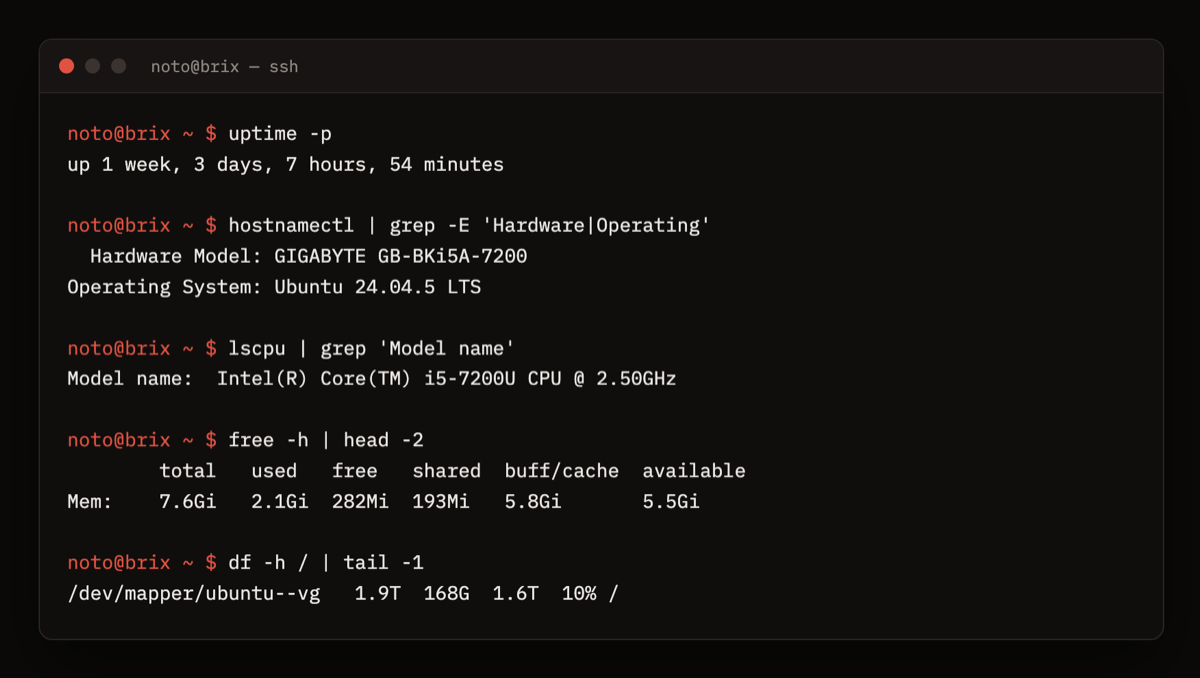
Gigabyte BRIX / i5-7200U / 8 GB / 2 TB
A mini PC at home running Ubuntu with CasaOS. Media, files, sync, and my home network.
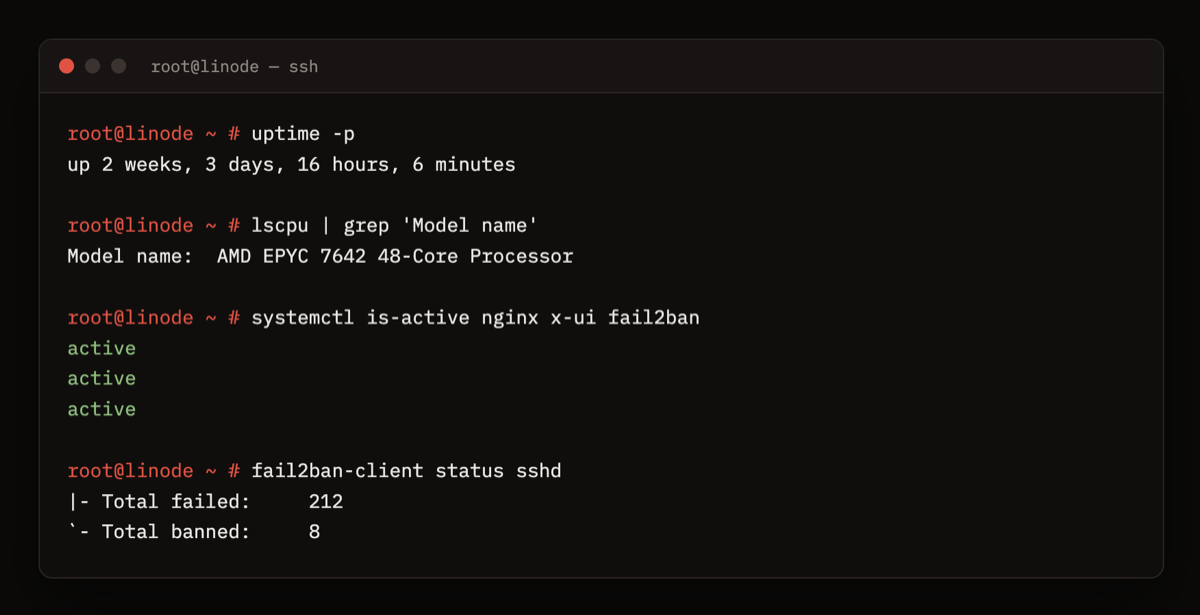
Ubuntu / 4 vCPU EPYC / 8 GB
A cloud server running my own VPN, locked down with fail2ban.
brix
It runs everything in containers and has been up for days at a time without me touching it, but i just know i will come back for another problem.
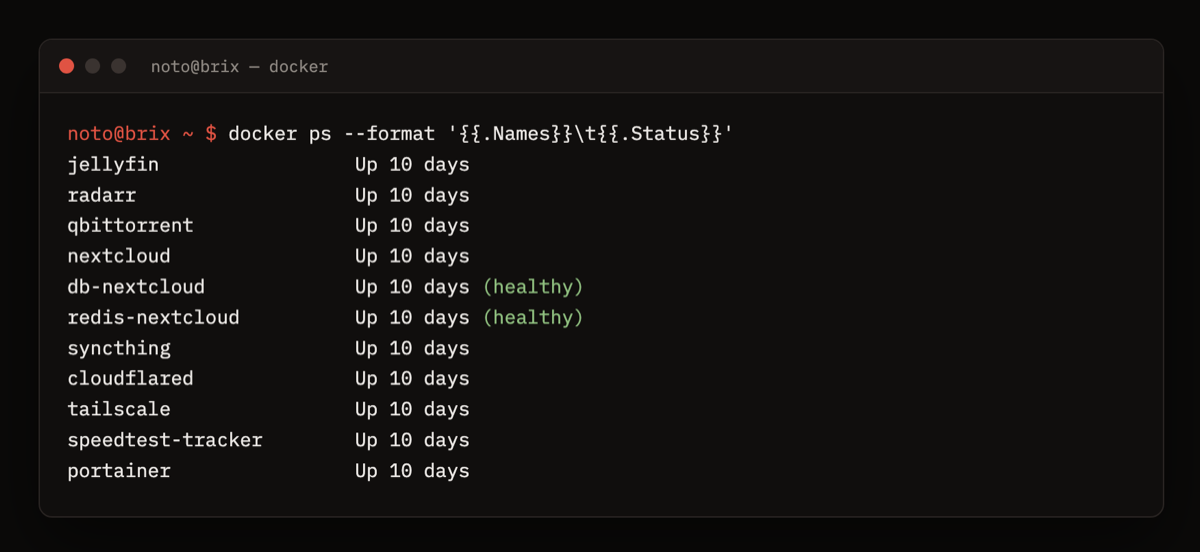
What runs on it
The hotspot
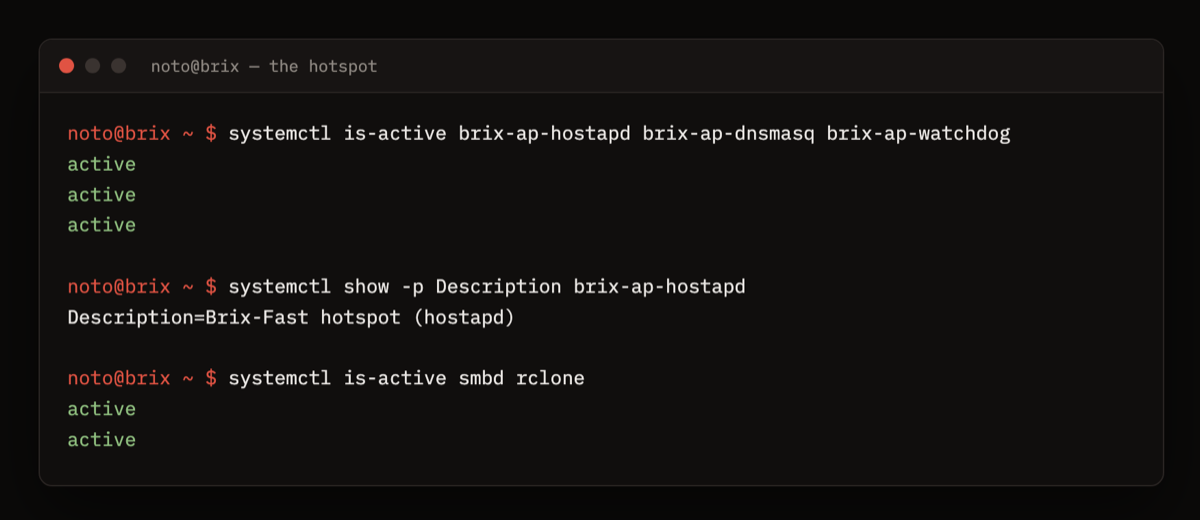
My Wi-Fi was rate limited, but ethernet wasn’t. So I plugged brix into ethernet, hunted down a Wi-Fi adapter that was good enough, set it up with hostapd, and wrote services to keep it running. Now brix broadcasts its own network, Brix-Fast, and my devices get the uncapped speed. It took a long time, and it was fun.
linode
A cloud server running my own VPN. The tunnels sit behind nginx on port 443, so from the outside it just looks like an ordinary HTTPS website. SSL certificates renew themselves.
When a game blocked the server’s IP, I made a separate route just for games that goes out through Cloudflare instead — still disguised the same way, but emotionally drugged by cloudflare
fail2ban watches the logins. At last count: 212 failed attempts, 8 IPs banned.